
This post will go through steps to test sftp connection from windows and linux. On windows there are free sftp client tool available as well like filezilla and winscp. These can also be used to test sftp connectivity. But incase we want to test the connection quickly without going through download and install process then cmd comes in handy for windows, given that telnet is enabled on windows already.
Test sftp Connection from Windows
1- Press “Windows Key + R” to open Command Prompt
2- Type Telnet and press Enter
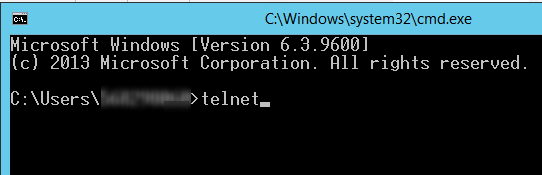
3- Enter sftp path after keyword “o” in following format and press Enter
o sftppath port

4- We will get to following screen if sftp connection was successful or sftp url was reachable. otherwise error will be received in case of failure.

we can type “Help” once telnet session is opened to get details of helpful keyword

Test sftp Connection from Linux
1- SSH into Linux instance
2- Type sftp path in following format to test sftp URL
sftp username@sftppath

3- Enter sftp password once prompt is received. This means that sftp URL is reachable.
4- If credentials are correct, you will be able to connect with sftp and browse directories and files.
Linux sftp help link
Possible Issue
Error “Unable to negotiate with xx.xxx.xxx.xx port 22: no matching host key type found. Their offer: ssh-dss”.

The reason for this error is because OpenSSH’s new update disables ssh-dss. In the OpenSSH release note, it states the changes since OpennSSH 6.9 Support for ssh-dss, ssh-dss-cert-* host and user keys are disabled. By default at run-time. To re-enable it please use following steps.
Use following steps to add new entry in ssh_config file
- Go to directory in SSH terminal by typing “cd /etc/ssh”
- Open Config file using command “sudo vim ssh_config”
- Add New Entry “HostKeyAlgorithms ssh-dss” at the end of file
- Repeat Connection Steps Again
- sftp should be accessible after this update


Related Links
Jupyter notebook startup folder
List file extension in windows
Hide power-bi measures
Azure function based rest api

 Simplyfies
2 thoughts on “Test sftp Connection from Windows and Linux”