By default, the ADLS storage account that is configured for either F&O Export to Data Lake or Synapse Link for Dataverse must have Blob public access Enabled. Following steps can be used to Disable Public Access on D365 Export to Data Lake.
Follow link to see steps to Configure D365 Export to Data Lake
In the meantime, the workaround is to:
1. Provision the ADLS storage account to a different region than the DV/F&O environment. The region must be different because services that are deployed in the same region as the storage account use private Azure IP addresses for communication. You cannot restrict access to Azure services based on their public outbound IP address range.
2. Disable Public Access on D365 Export to Data Lake: Disable blob public access on the ADLS storage account and set option to allow access from selected IP addresses.
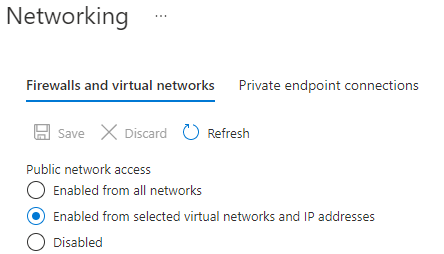
3. Run the following script to generate the list of IP addresses of the underlying Power Platform services that require access. These services are all tagged with PowerPlatformInfra.
((Get-AzNetworkServiceTag -location <region of Dynamics environment>).Values | Where-Object {$_.Name -iin "PowerPlatformInfra.<region of Dynamics environment>"}).Properties.AddressPrefixes4. Build another script to insert the list of allowable IP addresses generated by #3 into the storage account IP address exceptions using the following:
Add-AzStorageAccountNetworkRule -ResourceGroupName <resourcegroupforstorageaccount> -AccountName <storageaccountname> -IPAddressOrRangeMore Posts from Blog:
How to Hide Power BI Measure Based on Role: https://simplyfies.com/2022/08/07/hide-power-bi-measure
 Simplyfies