Get Azure Key Vault secrets in Fabric pipeline

In this comprehensive guide, we delve into the integration of Fabric Data Factory with Azure Key Vault, emphasizing the streamlined access to Key Vault secrets using service principal authentication.

This blog post provides a detailed walkthrough on configuring web activity with service principal authentication, ensuring secure access to sensitive information stored in Key Vault.

This step-by-step tutorial includes setting up a fabric data factory connection and configuring Web Activity in Azure Data Factory for secure communication with Azure key vault. By prioritizing Azure Data Factory and Key Vault integration, this post aims to equip readers with the knowledge to fortify their cloud data management and security frameworks effectively.

Prerequisites

To get started, you must complete the following prerequisites:

Add a Web activity to a pipeline with UI

To use a Web activity in a pipeline, complete the following steps:

Create the activity

  1. Create a new pipeline in your workspace.
  2. Search for Web in the pipeline Activities pane, and select it to add it to the pipeline canvas.
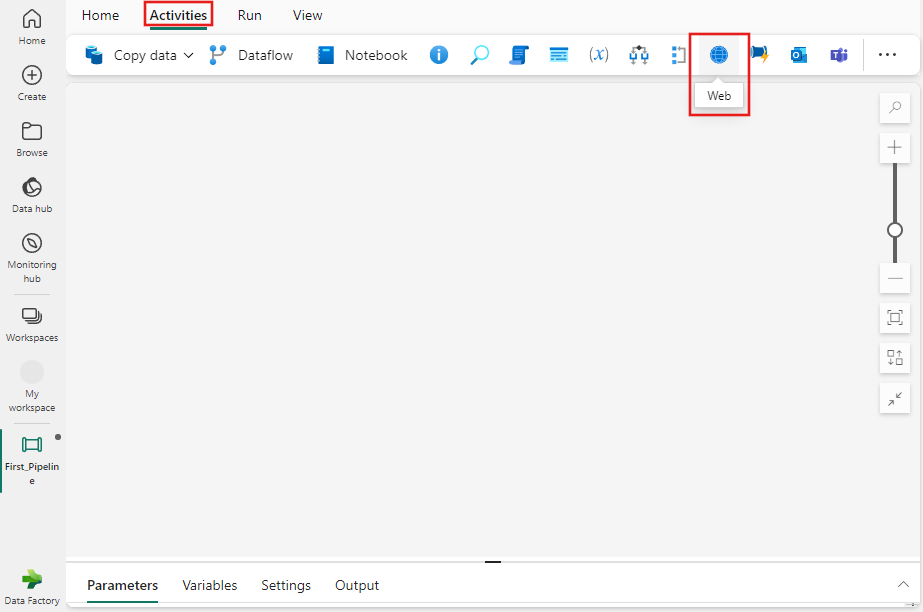

Web activity settings

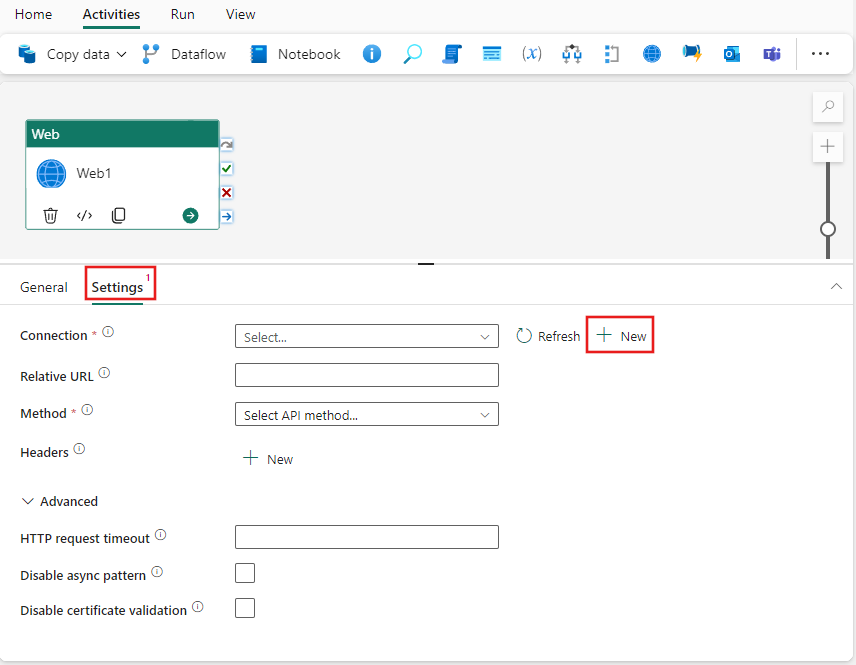
  • Select the Settings tab, select an existing connection from the Connection dropdown, or use the + New button to create a new connection, and specify its configuration details.
  • When you choose + New to create a new connection, you see the connection creation dialog where you can provide the base URL and credentials to connect.
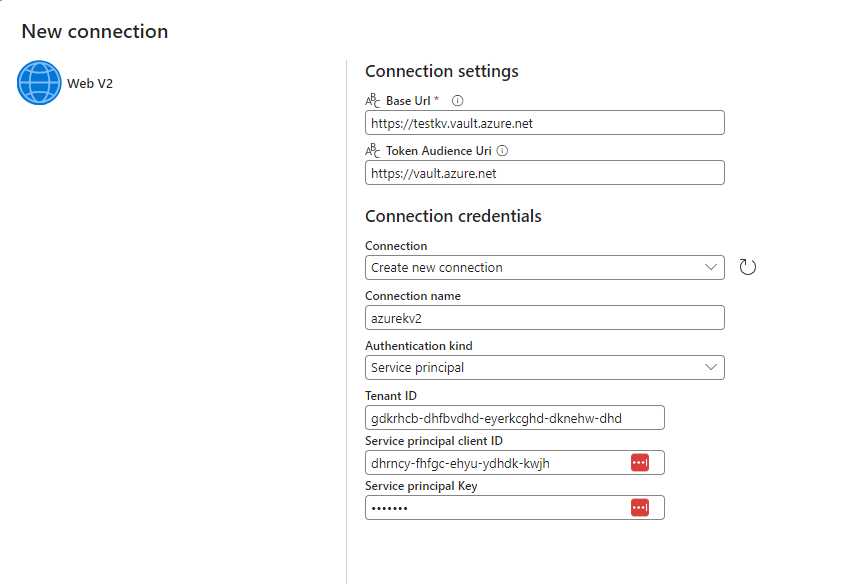
  • Save connection and add relative secret path and method in web activity settings

Save and run or schedule the pipeline

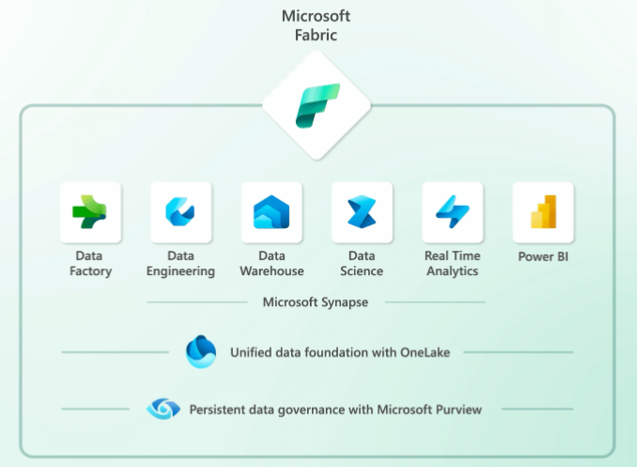
Microsoft Fabric

Microsoft Fabric

Microsoft Fabric is a new data platform that integrates various data and analytics tools, such as Azure Data Factory, Azure Synapse Analytics, and Power BI. It enables data professionals to build end-to-end analytics solutions with a unified experience and architecture. In this blog post, we will explore what’s new in Microsoft Fabric and how it differs from Synapse Studio.

Microsoft Fabric

Synapse Studio is a web-based user interface that allows users to manage and develop various Synapse resources, such as data pipelines, SQL pools, Spark pools, notebooks, and more. Synapse Studio is still available as a standalone product, but it is also integrated into Fabric as one of the role-specific experiences.

MS Fabric offers several advantages over Synapse Studio, such as:

  • A single sign-up and sign-in process that gives users access to all the Fabric features and services within seconds.
  • A seamless integration of Power BI for data visualization and reporting, as well as Azure OpenAI Service for generative AI and language modeling.
  • A simplified collaboration across different roles and teams, with features like semantic link, shared workspaces, and code repositories.
  • A built-in MLFlow model and experiment tracking powered by Azure Machine Learning, as well as SynapseML Spark library for scalable machine learning.
  • A support for open Delta Lake format that allows users to version datasets and create reproducible machine learning code.

Microsoft Fabric is designed to be the data platform for the era of AI, where data science and machine learning are essential for unlocking the value of data. By using MS Fabric, users can easily enrich their data with predictive insights and create organization-specific AI experiences. To learn more about MS Fabric and how to get started, visit https://fabric.microsoft.com.