This is a Step by Step Neo4j Desktop Installation Guide. Neo4j Desktop is a free version for Developers provided by Neo4j.
Go to link to find comparison between different type of databases.
Installation Steps
- Go to Neo4j Desktop Download – Launch and Manage Neo4j Databases to download desktop version of Neo4j.
- Download Neo4j Desktop by Clicking on Download, beside the installer you will get installation key at this step as well. Please note that Installer size is around 575 MB.

- Go to Downloads and Run the Installer (Neo4j Desktop Setup 1.4.5.exe)
- Once installation starts you can choose if this application is only for you or all the users on this computer

- Choose Install Location and Click on Install. For better performance choose SSD drive

- Installation will take 2-3 minutes to complete. Once Completed click on “Run Neo4j Desktop”.

- Choose Private or Public Network in “Windows Firewall” popup, to make Neo4j accessible over the Network.

- Next Agree to Neo4j License Agreement for Neo4j Desktop

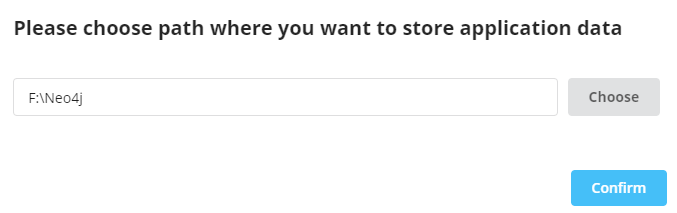
- Choose Application Data location on local machine. Once Selected, Click on confirm.
- In this step, Register Neo4j Desktop. Neo4j Desktop is always free, this information is gathered to analyze who is interested in this application.

- Installer will check systems requirement and Setup runtime Environment

- Neo4j Desktop is ready for use

 Simplyfies